How to Install and Log in to the Moodle Mobile App

2. How to Connect to the SBU Site on the Moodle App
The next step is to connect to the SBU Moodle Site within the Moodle App:
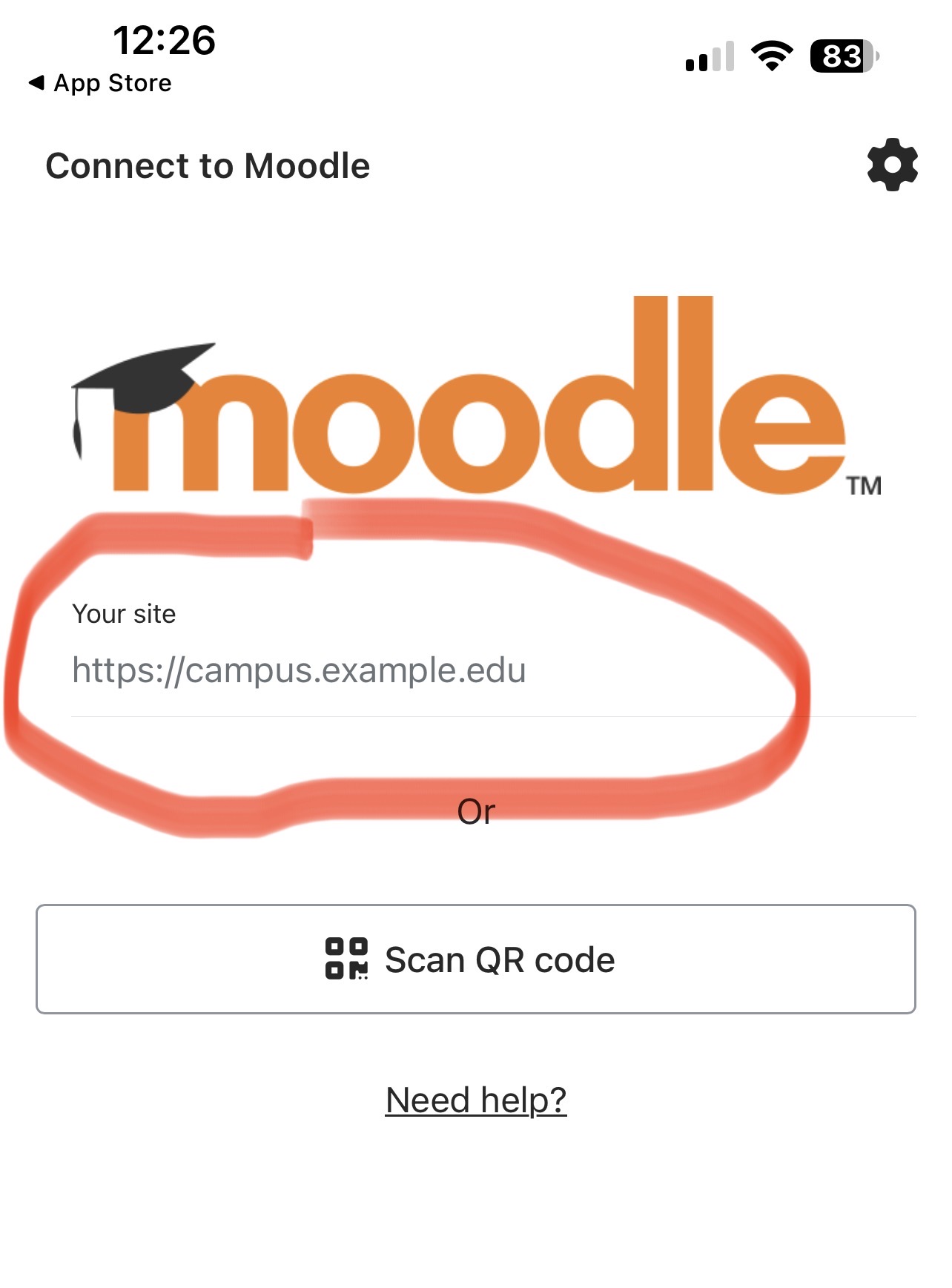
1) Once you open the Moodle App you will be prompted to enter your school's Moodle Site Address:
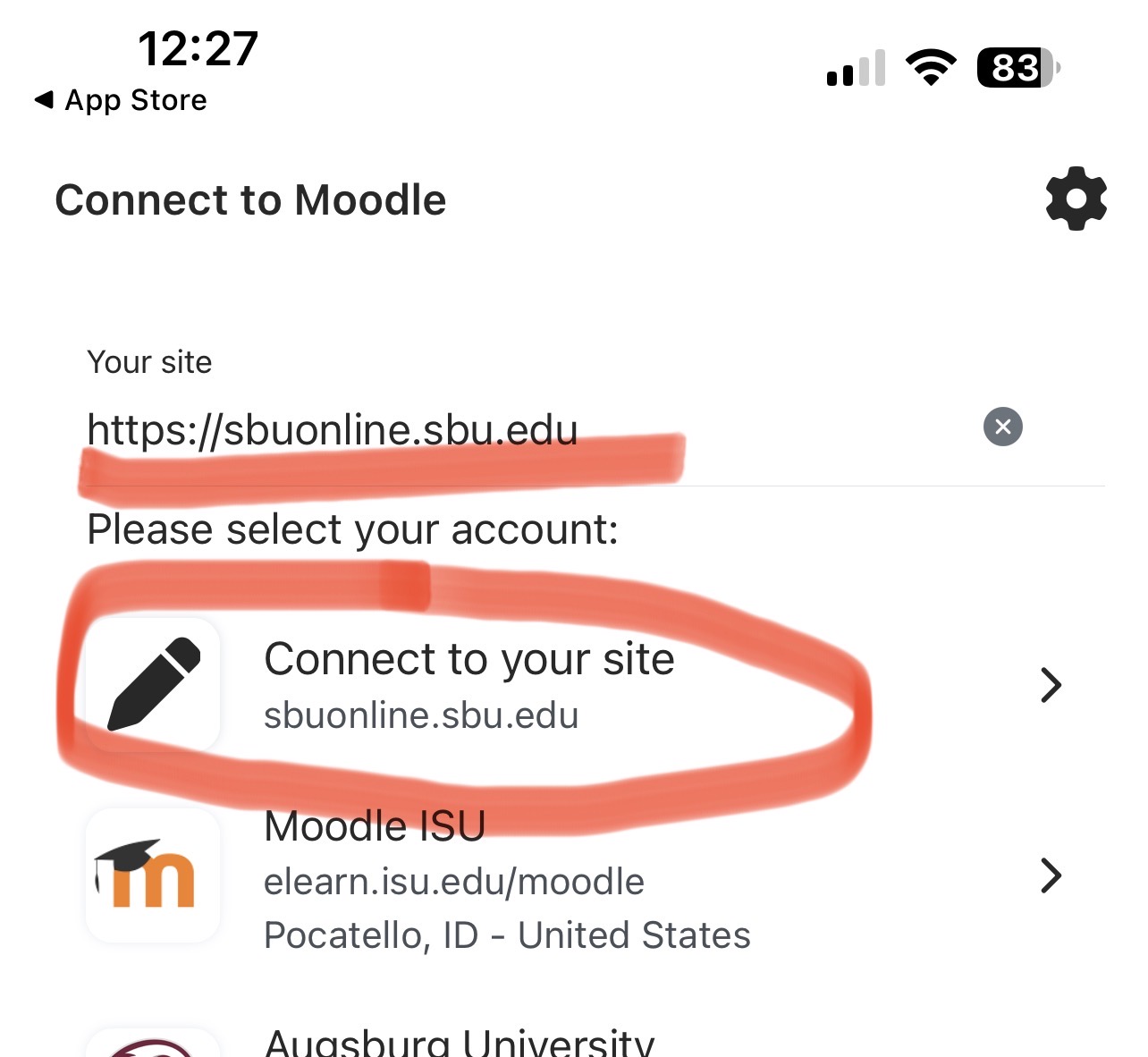
2) You will enter: https://sbuonline.sbu.edu as your site address and then select the "connect to your site" option